











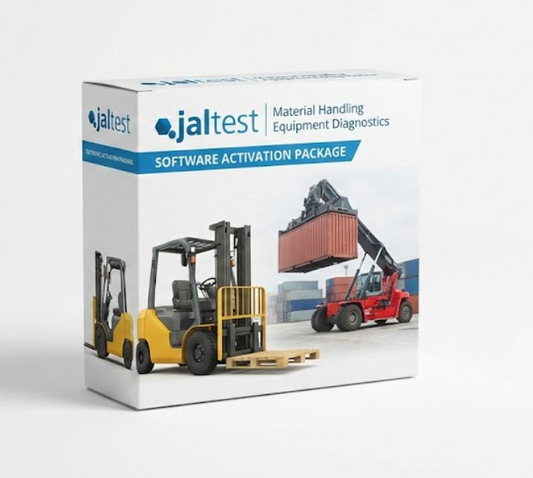
Jaltest Diagnostic Kits Without Laptop -- BYOL (Bring Your Own Laptop)
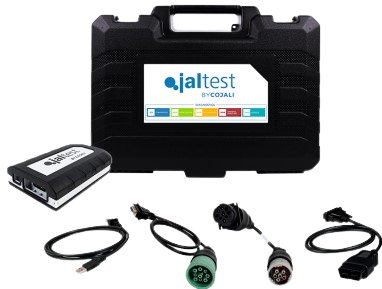
You already have a capable laptop in your shop. You do not need to buy another one just to run Jaltest. Our BYOL (Bring Your Own Laptop) kits give you the full Jaltest diagnostic platform -- software license, Data-Link interface, and complete cable set -- without the bundled laptop. Same OEM-level coverage. Same 241 manufacturers and 6,750+ models. Same diagnostic capabilities. Lower price.
Diesel Truck Diagnostic Tools has offered BYOL kits since 2016 for shops that prefer to choose their own hardware or already own a Windows laptop that meets Jaltest requirements. The diagnostic software, interface, and cables are identical to what ships in our complete laptop kits. The only difference is you provide the computer.
What Is Included in a BYOL Kit
| Component | Description |
|---|---|
| Jaltest Software License | Full software license for your chosen industry module(s). Includes first year of software updates. Activation key and download instructions provided. |
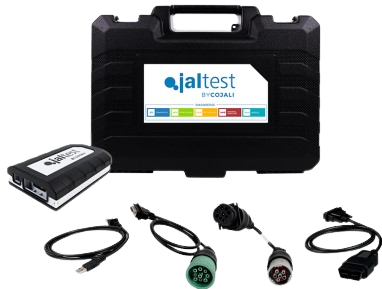
| Jaltest Data-Link (VCI) | Same diagnostic interface as our complete kits. Supports CAN, J1939, J1708, K-line, and other protocols. USB and Bluetooth connectivity. |
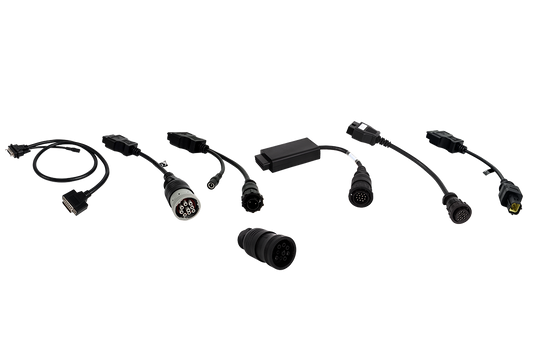
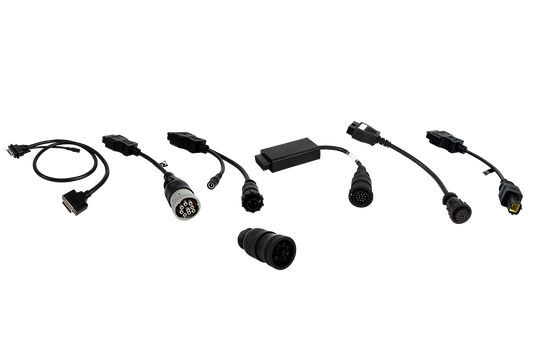
| Industry Cable Set | Complete set of diagnostic cables and adapters for your chosen industry. Same cables as the complete laptop kits -- no reduced or "starter" set. |
| Carrying Case | Protective case sized for the Data-Link, cables, and accessories. Laptop is not included, but most technicians carry their laptop in their own bag or vehicle. |
| Documentation | Quick-start guide, cable identification chart, software installation instructions, and laptop requirements checklist. |
Same Coverage as Complete Laptop Kits
There is no difference in diagnostic capability between a BYOL kit and a complete laptop kit. The software license is identical. The Data-Link interface is the same unit. The cable set contains the same connectors. The only variable is the laptop, and any Windows computer that meets Jaltest requirements will run the software just as well as the laptop we include in our complete kits.
Every Industry Module Is Available
| Module | Coverage | Key Manufacturers |
|---|---|---|
| Commercial Vehicle (CV) | 141 manufacturers, 3,200+ models | Cummins, Detroit, PACCAR, Volvo, Mack, International, Allison, Bendix, WABCO |
| Agricultural (AGV) | 78 manufacturers | John Deere, Case IH, New Holland, AGCO, Kubota, Claas |
| Off-Highway (OHW) | 94 manufacturers | Caterpillar, John Deere, Komatsu, Volvo CE, Bobcat, Kubota, JCB |
| Material Handling (MHE) | 43 manufacturers | Toyota, Crown, Hyster-Yale, Raymond, Linde, Jungheinrich |
| Marine | 86 manufacturers, 1,557 models | Volvo Penta, Cummins, Caterpillar, Mercury, Yamaha, Yanmar, MAN, MTU |
Multi-module bundles are available in BYOL format. Combine CV + OHW, CV + AGV, or get full coverage across all five industries -- all running on your existing laptop.
Laptop Requirements for Running Jaltest
Jaltest is not resource-hungry software, but it does need a reasonably modern Windows computer. Here are the requirements:
Minimum Requirements
| Specification | Minimum | Recommended |
|---|---|---|
| Operating System | Windows 10 (64-bit) | Windows 11 Pro (64-bit) |
| Processor | Intel Core i3 (8th gen+) or AMD Ryzen 3 | Intel Core i5 or AMD Ryzen 5 |
| RAM | 4 GB | 8 GB or more |
| Available Storage | 10 GB free (after OS and other software) | 50 GB+ free for future updates |
| Display | 13-inch, 1366x768 resolution | 14-inch or 15.6-inch, 1920x1080 (Full HD) |
| USB Ports | 1x USB 2.0 or higher | USB 3.0 for faster data transfer |
| Bluetooth | Bluetooth 4.0 (for wireless Data-Link connection) | Bluetooth 5.0 |
| Wi-Fi | Any Wi-Fi (for software updates) | Wi-Fi 5 or 6 |
| Battery Life | 3+ hours | 5+ hours for field/marine use |
What Works Well
Based on our experience supporting thousands of Jaltest installations, here is what works well in the field:
- Business-class laptops (Lenovo ThinkPad, Dell Latitude, HP EliteBook) -- built tougher than consumer models, better keyboards, longer support cycles
- SSD storage -- dramatically faster software loading and update installation vs. mechanical hard drives
- 14-inch or 15.6-inch screens -- large enough to read wiring diagrams and live data tables comfortably
- Matte/anti-glare displays -- easier to read in bright shop lighting and outdoor/dockside environments
- Spill-resistant keyboards -- a realistic concern in shop environments
What to Avoid
- Chromebooks -- Jaltest requires Windows. ChromeOS is not compatible.
- MacBooks -- Jaltest requires Windows. You can run Windows on a Mac via Boot Camp or Parallels, but we do not officially support or recommend this configuration.
- Tablets (Surface Go, iPad) -- limited USB connectivity, small screens, and lower processing power make tablets impractical for daily diagnostic use. Full Windows tablets (Surface Pro) can work but are not ideal.
- Laptops older than 5 years -- aging batteries, slow processors, and end-of-life operating systems create reliability issues
- 32-bit Windows -- Jaltest requires 64-bit Windows. Most computers sold after 2015 are 64-bit, but check if you are using an older machine.
Not Sure If Your Laptop Is Compatible?
Call 866-217-0063 and tell us what you have. We will check the specs and let you know if your current laptop will run Jaltest well. If it falls short, we can recommend a cost-effective replacement or steer you toward one of our Complete Laptop Kits instead.
Cost Savings vs. Complete Kits
BYOL kits save you the cost of the bundled laptop. The exact savings depend on the kit configuration, but here is the general picture:
- A complete laptop kit includes a pre-configured laptop worth $600-$1,200 depending on the model and specifications
- A BYOL kit removes that laptop cost while keeping everything else identical
- If you already own a compatible laptop, the BYOL option delivers the same diagnostic capability at a lower total investment
- If your current laptop is marginal, you can purchase a quality refurbished business laptop for $200-$400 and still come out ahead vs. a complete kit
The BYOL approach also gives you the flexibility to choose your own hardware. Some technicians prefer a specific laptop brand, screen size, or keyboard layout. Some shops want to standardize on a single laptop model across multiple diagnostic stations. BYOL lets you make those decisions independently.
Common BYOL Scenarios
Second Diagnostic Station
Your shop already has a complete Jaltest laptop kit on your primary diagnostic bay. You want to add a second diagnostic station -- maybe in the truck bay, on the service truck, or at a satellite shop. A BYOL kit lets you add Jaltest capability to another laptop without paying for a second bundled computer.
Upgrading from Another Diagnostic Platform
You are switching from a competing diagnostic tool (TEXA, Bosch, Snap-on, or another platform) and you already have a diagnostic laptop. Install Jaltest on your existing hardware and start using it immediately. The BYOL kit gets you running faster and cheaper than replacing your entire diagnostic setup.
IT-Managed Shop Environments
Some larger shops and fleet operations have IT departments that manage all computer purchases, security policies, and software installations. A BYOL kit works within that structure -- the IT team provides an approved laptop, and the Jaltest software installs alongside whatever other tools and security software the organization requires.
Mobile Technicians
Mobile diesel technicians and marine technicians often have a personal or company-issued laptop they already use for estimates, parts ordering, and business management. Adding a BYOL Jaltest kit to that existing laptop means carrying one device instead of two. The Data-Link interface and cables fit in the carrying case, and the laptop serves double duty.
Training and Education
Vocational schools and technical programs that already equip students with laptops can add Jaltest diagnostic capability through BYOL kits. Each student uses their existing school-issued laptop, and the institution purchases BYOL kits for the lab -- spreading the diagnostic tool investment without doubling up on hardware.
Installation and Setup
Setting up Jaltest on your own laptop is straightforward:
- Verify your laptop meets requirements -- check the specifications table above
- Install the Jaltest software -- download from the Jaltest website using the credentials provided with your kit
- Activate your license -- enter the activation key included with your kit (requires internet connection)
- Connect the Data-Link interface -- plug in via USB or pair via Bluetooth
- Run the initial update -- download the latest vehicle coverage (requires internet connection)
- Connect to a vehicle and diagnose -- you are ready to work
The entire setup process typically takes 30-60 minutes, most of which is the software download and update. If you run into any issues during installation, call us at 866-217-0063 and we will walk you through it.
Upgrade Path
Starting with a BYOL kit does not limit your future options:
- Add industry modules -- purchase additional coverage (CV, AGV, OHW, MHE, Marine) at any time. Your Data-Link interface works with all modules.
- Upgrade your laptop -- move Jaltest to a new laptop whenever you want. Contact us to transfer your license.
- Add a second kit -- need Jaltest on two machines? Purchase a second BYOL kit with its own license and Data-Link.
- Renew annually -- keep your software current with annual subscription renewals to receive new vehicle coverage and features.
What Comes with Every BYOL Purchase
- Free ground shipping -- every order, no minimum, no exceptions
- Full manufacturer warranty -- Data-Link interface and cables covered by Cojali warranty
- 30-day satisfaction guarantee -- return within 30 days if Jaltest does not meet your needs
- Live trained-staff support -- call 866-217-0063 for help with setup, operation, or diagnostic procedures
- First year of software updates -- stay current with new coverage releases
Ready to Go BYOL?
Browse the BYOL kits below or call 866-217-0063 to discuss your setup. We will verify your laptop compatibility, recommend the right industry module, and get your kit shipped with free ground delivery. Email support@dieseltruckdiagnostictools.com anytime.
Prefer a turnkey solution? See our Complete Diagnostic Laptop Kits for pre-configured systems ready to diagnose out of the box.
Browse by industry: Commercial Vehicles | Agricultural | Off-Highway | Marine | All Products